
Last updated: June 13, 2026
The Short Version: ClickUp is my recommendation for marketing teams at every stage. The free plan is genuinely sufficient for most lean B2B teams. Unlimited tasks, unlimited users, Board/Calendar/List views, and 100 automations per month without spending a dollar. The real cost isn’t the subscription. It’s the setup time. Build the system right and ClickUp replaces 3-4 tools. Build it wrong and you’ve got a more expensive version of the mess you already had.
ClickUp is worth it for marketing teams at every size. The free plan covers most lean B2B teams. Paid plans start at $7/user/month when you need advanced reporting, permissions, or more storage.
Here’s a pattern I see constantly across the B2B marketing strategies I build for clients. The content calendar lives in one tool. Campaign tracking in another. SOPs in a Google Doc that three people can find. Tasks in Slack threads. And a dashboard nobody checks.
Everything is happening. Nothing connects. And somehow the team is both busy and behind at the same time.
That’s not a people problem. It’s a systems problem. And it’s exactly the problem ClickUp is built to solve.
I’ve tested and implemented project management tools across dozens of B2B engagements over the past several years. ClickUp is the one I keep coming back to. Not because it’s perfect. Because it’s the most capable tool at the best price point, and the free plan alone outperforms what most teams are cobbling together with 4 separate subscriptions.
Let me walk you through why.
Who Is ClickUp Actually For? (The Marketing Angle)
ClickUp fits marketing teams managing content, campaigns, and SEO across multiple people or clients who need one connected workspace instead of a scattered stack of tools. It works at every team size, from solo operators to 15-person departments, because the free plan alone covers more ground than paid alternatives.
That’s the short answer. The longer answer has some nuance.
ClickUp was built as an “everything app.” That phrase makes experienced operators skeptical. It should. Tools that claim to do everything usually do nothing particularly well.
But ClickUp is different in one specific way. It doesn’t try to be your CRM, your email platform, or your analytics suite. It tries to be the place where all of your marketing work gets organized, assigned, tracked, and completed. Content pipelines. Campaign timelines. SEO task lists. Social scheduling workflows. Client deliverables. All of it. In one workspace.
For fractional CMOs managing multiple clients? That’s the pitch that actually lands. Separate Spaces per client. Same system. Same reporting structure. Same workflow logic. I don’t have to remember which client uses Asana and which one uses Monday.
For a lean in-house team of 3-5 people running content, social, and campaigns simultaneously? Same story. One place. One system. Everyone can see what’s in progress, what’s blocked, and what shipped.
Even solo marketers. And I’ll get to why in the next section.

Is ClickUp’s Free Plan Really Enough for Marketing?
ClickUp’s free plan includes unlimited tasks, unlimited users, Board/List/Calendar views, Docs, Whiteboards, and 100 automations per month. That’s more than Asana or Monday give you at their paid entry tiers.
I need to say that again because it doesn’t register the first time.
Unlimited tasks. Unlimited users. Free.
Asana caps its free plan at 15 users with limited features. Monday.com’s free tier? Two seats. That’s it. ClickUp lets you invite your entire team, your contractors, and your fractional CMO on the free plan and nobody pays a cent.
What you actually get for $0/month:
- Unlimited tasks and subtasks
- Unlimited users (no seat caps)
- Board, List, and Calendar views
- ClickUp Docs (SOPs and briefs live next to the work)
- Whiteboards for brainstorming
- 100 automations per month
- Real-time chat
- 100MB storage
That last one is the real ceiling. 100MB of storage burns fast when your team starts attaching design files, PDFs, and Loom recordings. That’s what forces the upgrade, not the feature set.
So why would you pay on day one? In most cases, you shouldn’t.
One of my B2B clients ran their entire marketing operation on ClickUp Free for 5 months before upgrading. Three people. Content pipeline, LinkedIn scheduling, and email campaign tracking. The trigger for upgrading wasn’t features. It was storage. They needed more space for creative assets. That’s the kind of forcing function that makes sense. Not paying $10/user/month on day one because a pricing page made you nervous about missing features.
What Does ClickUp Do Well for Marketing Teams?
The features that actually matter for marketing aren’t the ones on the landing page. They’re the ones that stop things from falling through cracks.
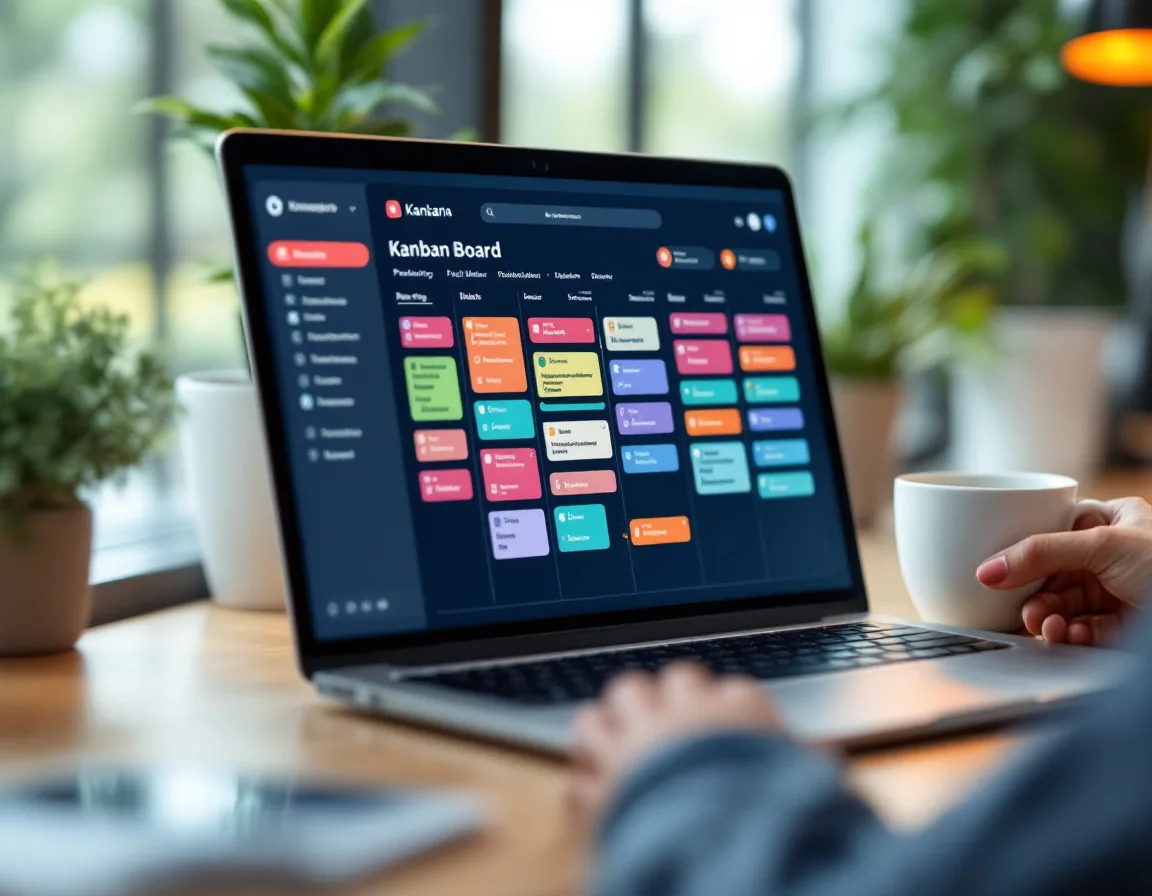
Views for different thinking styles. Board view (Kanban) for your content pipeline. Calendar view for your editorial plan. List view for the detail-oriented person who wants to see every task sorted by due date. Timeline for campaign planning with real dependencies. Same data, different lenses. Your content strategist and your designer can look at the same work completely differently.
Custom fields as marketing metadata. Add fields for content type, funnel stage, target persona, channel, author. When your CEO asks what’s shipping this month and who it’s for, you pull up a filtered view. The answer is right there. No digging through six tabs. No Slack thread archaeology.
Docs inside the workspace. Your SOPs, your brand guidelines, your content briefs. They live attached to the project they belong to. Not in a Google Drive folder that three people have access to and nobody remembers the name of.
Automations that prevent dropped balls. When a blog post moves to “ready for review,” assign it to the editor and notify the stakeholder. When a task hits “published,” move it to the distribution list. These aren’t complex automations. They’re the small ones that save 20 minutes a day and prevent the “I thought you were handling that” conversation.
Brain AI for operational questions. Ask it what’s overdue. Get a summary of what shipped last week. Draft task descriptions from a campaign brief. ClickUp Brain reads your actual workspace data, not a generic training set. So when you ask “what did the content team finish this week,” it pulls a real answer from real task activity.
If you want the full step-by-step setup walkthrough, I wrote a complete ClickUp marketing setup guide that covers Spaces, Folders, Lists, custom fields, and automations. That post is the how. This one is the should-you.
What Does ClickUp Cost When You Outgrow the Free Plan?
Unlimited starts at $7/user/month (billed annually). Business is $12/user/month. Brain AI adds $7–9/user/month on top. That last part is the line item nobody mentions until you’re already signed up.
Here’s the pricing breakdown that actually matters for marketing teams:
| Plan | Price (Annual) | What It Adds |
|---|---|---|
| Free Forever | $0 | Unlimited tasks and users, core views, 100 automations/mo, 100MB storage |
| Unlimited | $7/user/mo | Unlimited storage, integrations, Gantt charts, 1,000 automations/mo |
| Business | $12/user/mo | Advanced permissions, unlimited teams, 10,000 automations/mo, advanced reporting |
| Enterprise | Custom | SSO, white labeling, dedicated support |
| Brain AI (add-on) | $7–9/user/mo | Workspace-aware AI, task generation, status summaries, content drafts |
For context, Asana’s Starter plan runs $10.99/user/month. Monday.com starts at $9/seat/month with a 3-seat minimum, so your floor is $27/month even for a tiny team. ClickUp at $7/user with no seat minimum is the cheapest real option.
A 5-person marketing team on ClickUp Unlimited pays $35/month. The same team on Asana Starter pays $55. On Monday Standard, $60. That gap compounds over a year. $420 in annual savings isn’t changing anyone’s life, but it’s real money on a lean marketing budget.
The Brain AI pricing is worth flagging. At $7–9/user/month, it roughly doubles the cost of the Unlimited plan. For a 5-person team, that’s another $35-45/month. Worth it if your team spends significant time on status updates, task setup, and project briefs. Probably not worth it on day one. Add it after 60 days when you know which admin tasks are eating the most time.
Where Does ClickUp Fall Short?
I’m not going to pretend this is a flawless tool. A few things are worth knowing before you commit.
The learning curve is real. One detailed 30-day test found ClickUp is “fast to start and slow to get right”. That matches my experience. You can create a workspace in 10 minutes. Getting it set up properly for a marketing team takes an afternoon if you know what you’re doing and a week if you don’t. The flexibility that makes ClickUp powerful is the same flexibility that lets teams build a messy workspace nobody uses. Structure first. Tool second.
Feature density can overwhelm non-technical hires. If your marketing coordinator has never used a project management tool, ClickUp’s interface has a lot going on. 15+ views, custom fields, automations, Docs, Whiteboards. It’s not confusing once you learn it. But the first week can feel like drinking from a fire hose. (Plan for some onboarding time. It pays back.)
Mobile app is functional, not great. Fine for checking status. Not where you want to build out a campaign plan. Do your real work on desktop.
Automation quotas matter. 100 automations per month on Free. 1,000 on Unlimited. If your team runs heavy automated workflows, you’ll need to watch that number or upgrade to Business for the 10,000 monthly cap.
It’s not a CRM. ClickUp stores tasks and projects. It doesn’t track deals, opportunities, or sales pipeline. If you need a CRM, you still need a CRM. I use GoHighLevel for that across most of my clients. Does that matter for every team? No. But it’s worth knowing before you expect ClickUp to do something it was never designed to do.
What You’ll Compare ClickUp To (And Why I Still Pick ClickUp)
You’re going to look at Asana, Monday, and Notion. Everyone does. Here’s the short version of each matchup.
Asana is cleaner out of the box. Faster to set up. Better for teams that want structure imposed rather than created. But it’s more expensive per user, the free plan is capped at 15 users, and the customization ceiling is lower. For straightforward marketing workflows it works fine. For anything complex or multi-client, ClickUp wins.
Monday.com has the prettiest interface. Fastest onboarding. Non-technical teams love it. But the free plan caps at 2 seats, the paid plans require a 3-seat minimum, and the customization depth doesn’t match ClickUp. The consensus across independent comparisons is consistent. Monday wins on ease, ClickUp wins on capability and price.
Notion is great for documentation and lightweight project tracking. I’d pick it for a solo content creator managing a personal blog. But as a project management tool for a marketing team with real deadlines, dependencies, and multiple people? It doesn’t have the task management depth. No Gantt views. No real automations. No workload management. It solves a different problem.
Every time I evaluate these tools for a new client engagement, I land on ClickUp. The free plan alone beats the paid entry tier of the alternatives. The Unlimited plan at $7/user is the best value in the category. And the depth of customization means you can build exactly the marketing system your team needs instead of adapting your workflow to someone else’s template.

Which ClickUp Plan Should Your Marketing Team Use?
| Stage | What I’d Do |
|---|---|
| Solo marketer, just getting started | ClickUp Free. Unlimited tasks, unlimited users. You won’t hit a wall for months. |
| 2-3 people, content + social | ClickUp Free. Build a single Space, 2-3 Folders by channel, start simple. |
| 3-5 people, content + campaigns + SEO | ClickUp Free until storage forces the upgrade, then Unlimited ($7/user/mo). |
| 5-10 people, multiple channels | ClickUp Unlimited. Add Brain AI if admin tasks eat more than 30 minutes a day. |
| Agency or fractional CMO managing clients | ClickUp Business ($12/user/mo). Separate Spaces per client. Advanced permissions. |
| Already on Asana or Monday | Still worth testing ClickUp Free alongside it. Low-risk comparison. Zero cost. |
The through-line is the same at every stage. Start on Free. Upgrade when friction demands it. Don’t pay for features you haven’t needed yet.
The Bottom Line
ClickUp is my recommendation for B2B marketing teams. Period.
The free plan is the best-kept non-secret in project management. Most teams don’t need to pay for anything on day one. And when you do outgrow it, the paid plans are cheaper per user than every major alternative.
But the tool isn’t the hard part. The system you build inside it is. Structure your Spaces, define your statuses, assign owners, set deadlines. Then let ClickUp do what it does.
If you want the full setup walkthrough, the step-by-step ClickUp marketing guide is here. If you want to try it, ClickUp’s free plan is here. No credit card. No seat limits. Just build.
For the broader marketing playbook this fits inside, start with my top marketing tools breakdown.
Common Questions About ClickUp for Marketing Teams
Is ClickUp’s free plan enough for a marketing team?
For most lean B2B marketing teams, yes. You get unlimited tasks, unlimited users, Board/List/Calendar views, Docs, and 100 automations per month. That’s more than Asana’s free plan (15 user cap) or Monday’s (2 seats). The realistic trigger for upgrading is storage. The free plan includes 100MB, which fills up once your team starts attaching design files and PDFs. Until then, it runs a real marketing operation.
What’s the best ClickUp plan for a small marketing team?
Start on Free. Always. Upgrade to Unlimited ($7/user/month) when you hit the storage ceiling or need guest permissions and integrations. For teams over 5 people, Business ($12/user/month) adds advanced reporting and permissions that become useful as complexity grows. Don’t pay for features you haven’t needed yet.
How does ClickUp compare to Asana for marketing?
ClickUp is more customizable, cheaper per user, and has a stronger AI layer. Asana is easier to learn and faster to set up. If your team prioritizes simplicity above everything else, Asana works. If you want more depth, more views, and better pricing, ClickUp wins. I pick ClickUp every time across client engagements.
Is ClickUp Brain AI worth the extra cost for marketers?
It depends on how much time your team spends on admin. Brain costs $7–9/user/month on top of your plan. It generates subtasks from campaign descriptions, summarizes what your team shipped last week, and drafts briefs. If your team burns 30+ minutes a day on status updates and task setup, it pays for itself. Add it after 60 days when you know where the admin bottlenecks actually are.
How long does it take to set up ClickUp for marketing?
An afternoon if you know your structure going in. A week or more if you’re figuring it out as you go. The biggest mistake is building 12 Spaces and 40 custom fields in the first session. Start lean. One Space called Marketing. Two to four Folders matching the channels you’re running. Tasks with one owner and one due date. Add complexity only when a specific workflow breaks.
Can you use ClickUp as a content calendar?
Yes, and it replaces standalone content calendar tools entirely. Calendar view shows all tasks with due dates on a calendar you can drag and drop. Add custom fields for content type, target keyword, author, and publish date to turn a simple task list into a full editorial calendar. Board view gives you a pipeline view of what’s in draft, in review, and ready to publish.