

Last updated: July 22, 2026
The Short Version
GoHighLevel workflows replace manual follow-ups, appointment reminders, and lead routing with automated sequences that run around the clock. This tutorial walks you through building your first B2B workflow in under 30 minutes, from picking your trigger to testing the live sequence. It also covers the Workflow AI Builder shortcut and the 3 mistakes that quietly break workflows before they produce a single result.
GoHighLevel’s workflow builder lets you automate lead follow-up, appointment reminders, and pipeline management using drag-and-drop triggers, actions, and IF/ELSE conditions, with no coding required. You can build a working automation in under 30 minutes on any GHL plan, including the $97 Starter tier. The 2026 Workflow AI Builder also lets you describe what you want in plain English and generates the workflow for you. This tutorial walks through the full process from scratch.
If you’re paying $97 a month for GoHighLevel and still manually texting leads, sending follow-up emails one at a time, and dragging contacts through your pipeline by hand, you’re using a Ferrari as a park bench. The platform’s real value isn’t the CRM or the funnel builder. It’s the workflow engine underneath everything.
And yet, the automation tab is where people stall. The builder looks intimidating. The trigger list is long. There’s a voice in the back of your head saying you’ll break something. So the workflows sit there. Empty.
I run GoHighLevel across multiple B2B companies as a fractional CMO. The first workflow I build for every single one takes about 25 minutes, and it replaces roughly 3–4 hours of manual work per week. Every week. Without fail.
This tutorial is the exact process. One workflow. Start to finish. Thirty minutes or less.
What Is a GoHighLevel Workflow (And Why Does It Replace Everything Else)?
A GHL workflow is an automated sequence of triggers, conditions, and actions that fires without any manual input from you or your team.
Think of it as an if-this-then-that chain, but built inside the same platform where your CRM, email, SMS, calendar, and pipeline already live. Someone submits a form on your site. The workflow sends them an email within 10 seconds, follows up with a text an hour later, tags them in your CRM, and moves them into your pipeline. All before you’ve finished your coffee.
That’s the difference between GHL workflows and stitching together Zapier, Mailchimp, Calendly, and a spreadsheet. Everything talks to everything because it’s all in one place.
If you’ve seen older GHL tutorials referencing “Campaigns” and “Triggers” as separate features, that system is gone. Workflows replaced it entirely. They’re more powerful, more visual, and significantly easier to debug when something goes sideways.
Here’s the quick anatomy.
Triggers start the workflow. A form submission, a missed call, a tag added, a pipeline stage change. Something happens, and the workflow wakes up.
Actions are what the workflow does. Send an SMS. Fire an email. Add a tag. Create a task. Move a deal to a new pipeline stage. Wait 24 hours, then do it again.
Conditions are the decision points. IF the contact replied, go down path A. IF they didn’t, go down path B. IF/ELSE branching in GHL now supports up to 10 paths per condition, which is more than enough for any B2B use case.
Every plan, including the $97 Starter, includes unlimited workflows with unlimited steps. There’s no cap.
What Do You Need Before Building Your First Workflow?
Before you open the workflow builder, spend 10 minutes on this checklist. Skipping any of these means your workflow will technically run but won’t actually produce results.

| Prerequisite | Why It Matters | Time to Set Up |
|---|---|---|
| Verified sending domain | Emails land in inboxes, not spam | 15 min + 24–48 hr DNS propagation |
| Connected phone number (Twilio or LC Phone) | SMS and missed call triggers won’t fire without a number | 10 min |
| At least one pipeline with stages | Workflows that move contacts through stages need a pipeline to move them into | 5 min |
| One form or landing page live | You need a trigger event, and a form submission is the easiest one to test | 10 min |
| Business hours configured | Wait-until-business-hours actions need this set correctly or you’ll text people at 3 AM | 2 min |
That’s it. If those five things are in place, you’re ready.
If your sending domain isn’t verified yet, do that now and come back tomorrow. Sending emails from an unverified domain will tank your deliverability before your first workflow even completes.
How Do You Build a GoHighLevel Workflow From Scratch?
Go to Automation → Workflows → Create Workflow. Pick “Start from Scratch.” That’s step one. You’re in the builder.
Here’s the complete walkthrough for a B2B lead follow-up workflow. This is the single highest-ROI automation you can build, and it’ll take roughly 25 minutes.

Pick Your Trigger
Click the “Add New Workflow Trigger” button. You’ll see a list of 50+ trigger types. For this workflow, select Form Submitted.
Choose the specific form. If you only have one, this is straightforward. If you have multiple, pick the one tied to your primary lead capture page.
One setting people miss here. Under “Filters,” you can narrow who enters the workflow. If your form is used for both demo requests and newsletter signups, add a filter so only demo requests trigger this sequence. Otherwise everyone gets the same follow-up regardless of intent. Bad look.
Add Your Actions
Now you’re building the sequence. Here’s what to add, in order.
Action 1 — Send Email (Immediate)
Write a short acknowledgment email. Something like “Got your request. Here’s what happens next.” Not a sales pitch. Not a 12-paragraph company overview. Three to four sentences that confirm you received their information and set an expectation for when they’ll hear from you.
Action 2 — Wait 1 Hour
Add a Wait action. Set it to 1 hour. This gives the email time to land and the lead time to breathe. Sending an SMS 45 seconds after the email makes you look desperate.
Action 3 — Send SMS
Short and direct. “Hey [First Name], just sent you an email about your request. If it’s easier, you can book a quick call here: [calendar link].” Include your booking link. Texting without a next step is a wasted message.
Action 4 — Add Tag (“New Lead – Form”)
Tag the contact so you can track them and exclude them from other workflows later. Tagging isn’t glamorous, but it’s what separates workflows that scale from workflows that break at 500 contacts.
Action 5 — Create Opportunity
Add the contact to your pipeline at the first stage (something like “New Lead” or “Inquiry”). Now they’re visible in your pipeline view, and you or your team can see exactly where they are without checking email.
Set Up IF/ELSE Logic
After the SMS, add an IF/ELSE condition. The condition: If Contact Replied.
Path A (they replied): Add an internal notification to your phone or Slack. A human takes over from here. Add a “Remove from Workflow” action so they stop getting automated messages.
Path B (no reply): Wait 2 days. Send a follow-up email with a different angle. Maybe a case study link or a specific resource related to what they asked about. Wait 3 more days. Send a final SMS. “Still interested? No pressure either way, just want to make sure this didn’t slip through.” Then stop.
That’s the entire workflow. Six to eight steps. Three messages max if they don’t reply. Immediate human handoff if they do.
Test and Activate
Before you flip this live, test it. GHL lets you send a test contact through the workflow. Use your own phone number and email.
Watch for timing. Did the SMS arrive at a reasonable hour? Did the email look right on mobile? Did the tag apply? Did the opportunity appear in your pipeline?
Fix anything that’s off. Then toggle the workflow to “Active.”
Twenty-five minutes. Done.
Can the Workflow AI Builder Do It for You?
Yes. And honestly, it’s gotten good enough that I’d recommend starting here if you’ve never touched the workflow builder.
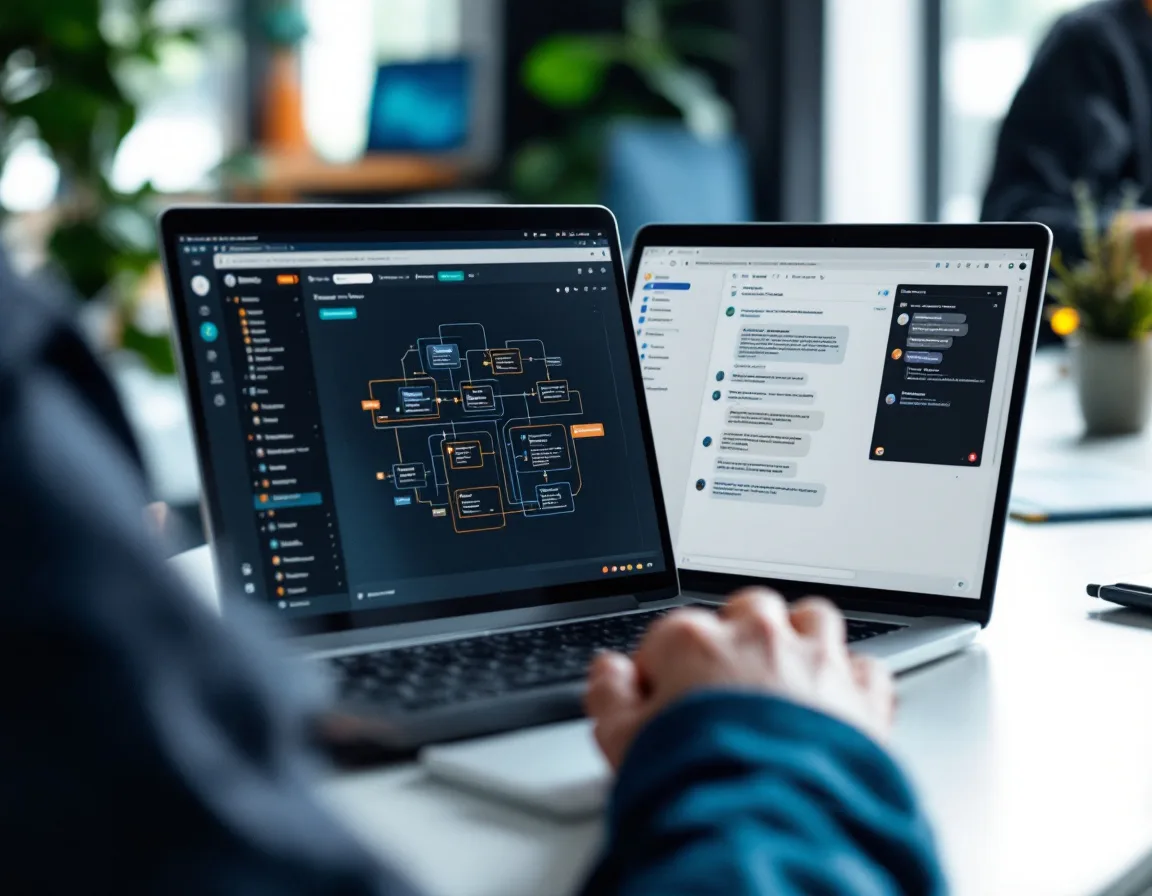
GHL launched the Workflow AI Builder in late 2025 and updated it significantly in early 2026. The concept is simple. You describe what you want in plain English, and the AI generates the complete workflow for you.
Type something like: “When someone submits my demo request form, send them a confirmation email, wait one hour, send an SMS with my booking link, and if they don’t reply in two days, send a follow-up email.”
The AI builds the trigger, the actions, the wait steps, and the conditions. You review it, adjust the copy, and activate.
Is it perfect every time? No. I’ve seen it miss exit conditions and occasionally pick the wrong trigger type when the prompt is vague. But it gets you 80% of the way there in under 5 minutes, and then you’re just cleaning up details instead of building from a blank canvas.
For B2B operators who aren’t technical and don’t want to become GHL power users, this is the real unlock. You don’t need to understand every trigger type. You need to describe what you want to happen, and the AI handles the architecture.
Which Workflows Should B2B Companies Build First?
Not all workflows deliver equal value. So where do you start when the platform gives you unlimited workflows and a hundred possible triggers?
Here’s the priority order for B2B companies specifically, ranked by how fast you’ll see results.

| Priority | Workflow | What It Does | Time to Build | Weekly Hours Saved |
|---|---|---|---|---|
| 1 | Lead follow-up (the one above) | Emails, texts, and tags new leads instantly | 25 min | 3–4 hours |
| 2 | Appointment reminder + no-show recovery | Confirms bookings and follows up on no-shows | 20 min | 2–3 hours |
| 3 | Stale lead reactivation | Re-engages contacts who went cold 30–60 days ago | 30 min | 1–2 hours |
| 4 | Review request after service delivery | Asks for Google reviews at the right moment | 15 min | 1 hour |
| 5 | Client onboarding sequence | Sends welcome materials and sets expectations after a deal closes | 30 min | 2–3 hours |
Build workflow #1 first. Get it running. Then add #2 and #3 in week two. By the end of your first month, you’ll have a system that handles the repetitive follow-up work that consumes the largest chunk of your team’s time.
One thing I’ll flag. The appointment reminder workflow alone typically reduces no-shows from 25–30% to under 15%. For a B2B company running 20 sales calls a week, that’s the difference between 5 wasted slots and 2. Do the math on what each booked call is worth to your business.
If you’re building your marketing automation system from scratch, these five workflows are the foundation. Everything else layers on top.
What Are the 3 Mistakes That Break GoHighLevel Workflows?
I’ve audited dozens of GHL accounts. The same three problems show up in almost every one.

Mistake 1. No exit conditions.
A contact enters your nurture workflow, reaches the end, and sits there. Indefinitely. When you update the workflow later, those contacts receive the updated actions out of sequence. They get messages that don’t make sense. They get double-messaged across workflows.
The fix is simple. Every workflow needs a goal condition or a removal action that pulls the contact out once they’ve taken the desired step. Booked a call? Remove from workflow. Replied? Remove from workflow. Purchased? Remove from workflow.
If you don’t set this up, your automations actively work against you at scale. Not just underperforming. Actively damaging.
Mistake 2. Too many actions too fast.
People build workflows with 6 steps firing within minutes of each other. The lead gets an email, a text, a voicemail drop, a tag notification, and a pipeline move all at once. It’s overwhelming. And some platforms flag rapid-fire SMS sends from the same number, which tanks your deliverability.
Space things out. Wait steps exist for a reason. An hour between email and SMS. Two days before a follow-up. The cadence matters more than the volume.
Mistake 3. One giant workflow instead of modular ones.
A single workflow with 40+ steps and multiple IF/ELSE branches is nearly impossible to debug. Something breaks in one branch, and contacts in completely unrelated branches get affected.
Better approach. Build small, focused workflows connected by tags. Your lead follow-up workflow adds a “Booked” tag when someone schedules. That tag triggers a separate appointment reminder workflow. Each workflow does one thing well. Each one is independently testable. Failures stay isolated.
| Mistake | What Happens | The Fix |
|---|---|---|
| No exit conditions | Contacts get stuck and receive out-of-sequence messages | Add goal conditions or removal actions at every conversion point |
| Too many actions too fast | Leads get bombarded, deliverability drops | Add wait steps between messages (1 hour minimum between channels) |
| One monolithic workflow | Impossible to debug, one break affects everything | Build modular workflows connected by tags |
How Does GoHighLevel Automation Compare to HubSpot and Zapier?
This comes up constantly, so here’s the honest breakdown.

GHL and HubSpot both have built-in workflow automation. But HubSpot’s advanced workflows are locked behind their Professional and Enterprise tiers, which start at $800/month and climb fast. GHL gives you unlimited workflows on every plan, starting at $97/month. If you’re a B2B company under $10M in revenue, the math isn’t close.
Where HubSpot genuinely wins is reporting depth and native integrations. HubSpot connects to 2,000+ apps natively. GHL has around 500+, with heavier reliance on Zapier or webhook connections for tools outside its ecosystem.
Zapier is a different category entirely. It connects tools. It doesn’t replace them. GHL replaces the tools AND handles the connections between them internally. You’d still use Zapier if you need GHL to talk to QuickBooks, Notion, or a custom database. But for lead follow-up, appointment reminders, pipeline automation, and SMS/email sequences, GHL handles all of that without a third-party connector.
The question isn’t which is better. It’s which problem you’re solving.
If you want to replace HubSpot and cut your marketing stack costs by 60–70%, GHL is the move. If you already love your existing tool stack and just need the data flowing between them, Zapier does that job well.
| Feature | GoHighLevel | HubSpot | Zapier |
|---|---|---|---|
| Built-in CRM | Yes | Yes | No |
| Email + SMS automation | Yes (native) | Email yes, SMS is add-on | Connects to email/SMS tools |
| Workflow builder | Drag-and-drop, unlimited | Drag-and-drop, tier-locked | Trigger/action Zaps |
| Starting price for automation | $97/month | $800+/month (Professional) | $19.99/month (Starter) |
| AI workflow builder | Yes (2026) | Limited | No |
| White-label option | Yes | No | No |
The Bottom Line
You don’t need to automate everything on day one. You need one workflow, built correctly, running by the end of this afternoon.
Start with the lead follow-up sequence in this tutorial. It takes 25 minutes. It’ll save you 3–4 hours a week in manual follow-ups. And it’ll show you exactly how the workflow builder thinks, so the second and third workflows go even faster.
If you don’t have a GoHighLevel account yet, you can get started with a free trial here. Every plan includes unlimited workflows. Build this one before you build anything else.
And if you want the AI to do the heavy lifting, try the Workflow AI Builder first. Describe what you want. Let it generate the skeleton. Clean it up. That alone cuts the learning curve in half.
GoHighLevel Automation Questions, Answered
Do I need coding skills to build GoHighLevel workflows?
No. The entire workflow builder is drag-and-drop. You pick triggers from a list, add actions by clicking, and connect them visually. The 2026 Workflow AI Builder takes it further. You type what you want in plain English, and it generates the workflow for you to review and adjust.
How many workflows can I create on the $97 Starter plan?
Unlimited. Every GHL plan includes unlimited workflows with unlimited steps. There’s no automation cap based on your subscription tier, and no per-contact processing fee for standard triggers like form submissions, tag additions, or pipeline stage changes.
What’s the difference between GHL workflows and the old campaign system?
Campaigns were GHL’s original automation tool. They only supported linear email and SMS drip sequences. Workflows replaced them completely and are significantly more powerful. Visual branching, multiple triggers per workflow, IF/ELSE conditions with up to 10 paths, webhooks, AI actions, and wait-until-business-hours logic all live inside workflows now. If you’re following a tutorial that references “Campaigns” and “Triggers” as separate tabs, it’s outdated.
Can I use GoHighLevel workflows without being an agency?
GHL was built for agencies, but the Starter plan at $97/month is designed for a single business managing its own operations. Plenty of B2B companies, consultants, coaches, and service businesses run GHL without ever white-labeling it or managing client sub-accounts. The workflow engine works the same regardless of your business model.
How long does it take to build a working workflow from scratch?
Your first one will take 20–30 minutes as you learn the interface. After that, simple workflows take 10–15 minutes. The Workflow AI Builder can generate a complete workflow in under 5 minutes, though you’ll want to review and adjust the output before activating. I’ve built workflows for five companies in a single afternoon once I knew the system.
Holly Mack is a fractional CMO who builds B2B marketing systems for companies from startup through $50M in revenue. She manages marketing strategy, automation, and content across multiple companies simultaneously using AI tools, specialist agencies, and daily operators. More about Holly →