
Last updated: April 27, 2026
The Short Version: AI cloning lets you build a digital version of yourself that delivers videos from a typed script. You record once, clone your voice separately, and generate videos without sitting in front of a camera again. HeyGen is the strongest tool for this right now, starting at $29/month. It works best for repeatable, high-volume content like onboarding videos, sales follow-up, and blog-to-video repurposing. It doesn’t replace real video for trust-heavy content. This guide covers setup, real costs, use cases, and where it breaks.
AI cloning creates a digital avatar of you from a short video and voice recording. You type a script, your avatar delivers it on screen, and you skip the camera entirely. Setup takes under 30 minutes. Each video after that takes minutes to produce. The strongest tool for B2B teams in 2026 is HeyGen, starting at $29/month with unlimited video creation.
Video keeps landing on the priority list. And it keeps getting pushed.
Not because anyone doubts it works. The data is clear. 91% of businesses use video as a marketing tool in 2026, and if you’re building a content workflow that scales, video is part of the system. But recording is where things stall. You need a camera. You need lighting. You need 2 hours you don’t have. And by the time you finally sit down, you’ve lost the momentum.
That’s the specific problem AI cloning solves. If you’ve been looking at AI video generators as a way to fix that bottleneck, this is where the math starts to shift.
I’ve set this up across multiple B2B client teams now. Technology companies, MSPs, staffing firms, professional services. The pattern is the same every time. They know video matters. They can’t keep filming. This solves a specific problem, and it solves it well, if you know when to use it and when not to.
(Disclosure: Some links in this post are affiliate links. I only recommend tools I actually use. No extra cost to you.)
What Does “Cloning Yourself with AI” Actually Mean?
AI cloning means recording a short training video of yourself, then using a tool to build a digital avatar that replicates your face, voice, and delivery style for future videos. Not a chatbot. Not a knowledge base. A visual and audio replica of you that delivers scripts on camera.
You record once. The platform processes your footage and builds your digital twin. From that point forward, you type a script, your avatar delivers it, and you download a finished video. Your face. Your voice. Your expressions. Without you sitting in front of a camera again.
This isn’t a filter or a deepfake gimmick. The AI avatar market hit $0.80 billion in 2025 and is projected to reach $5.93 billion by 2032. HeyGen alone reached an estimated $95M in annual recurring revenue by September 2025, according to ngram’s AI video analysis. The technology crossed the “interesting experiment” stage a while ago.
And the adoption numbers back that up. AI video generation volume grew 840% between January 2024 and January 2026, and over half of B2B marketers now call AI video their most-adopted new marketing technology.
What changed isn’t just the tech. It’s the output quality. The avatars coming out of tools like HeyGen in 2026 are genuinely hard to distinguish from real footage in short-form content. Not perfect. But publishable. And publishable is the bar that matters.
How to Set Up Your AI Clone (Step by Step)
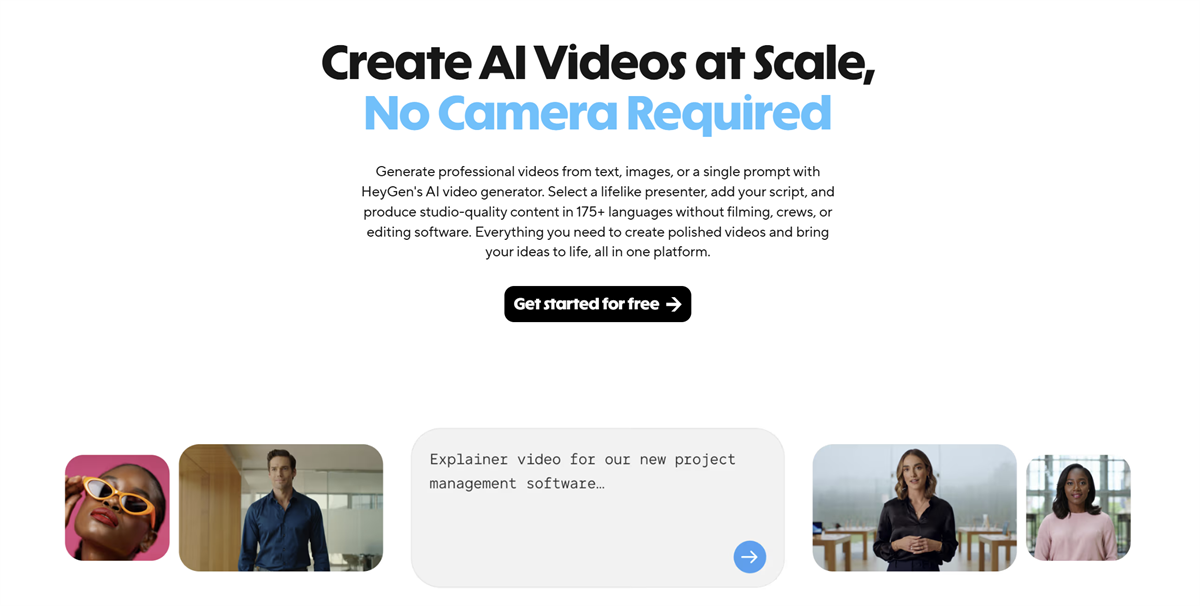
The tool I use and recommend is HeyGen. Easy to set up, affordable, and it produces results you can actually put out without cringing. The whole setup process takes about 30 minutes of active work, plus a few hours for processing. Here’s how it works.
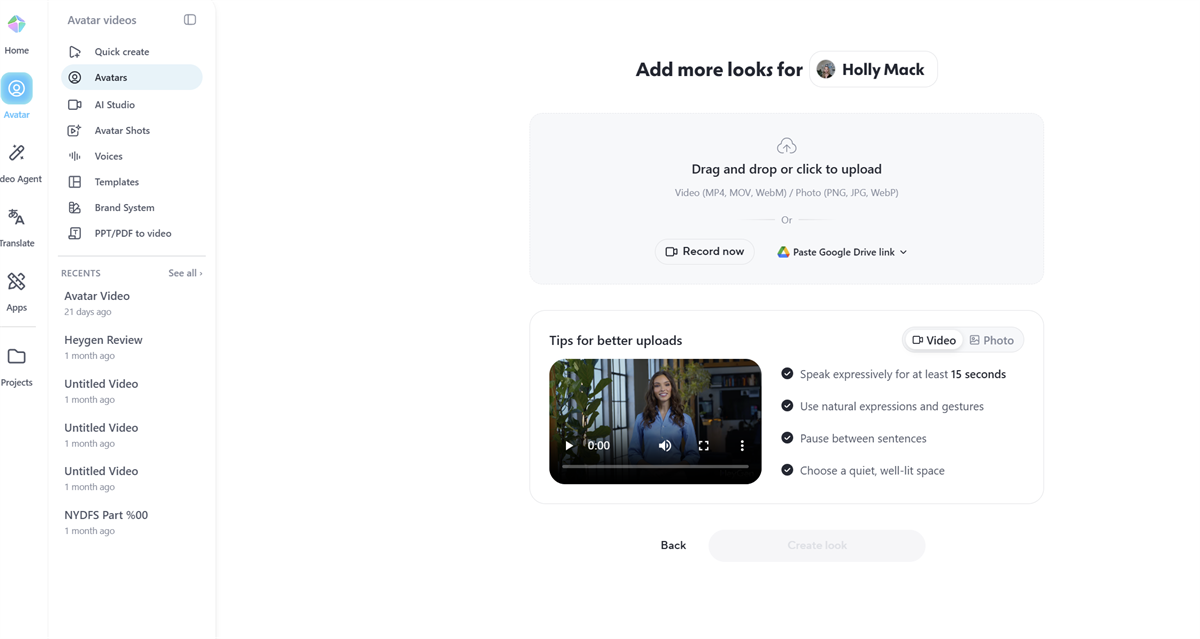
Step 1: Record Your Training Video
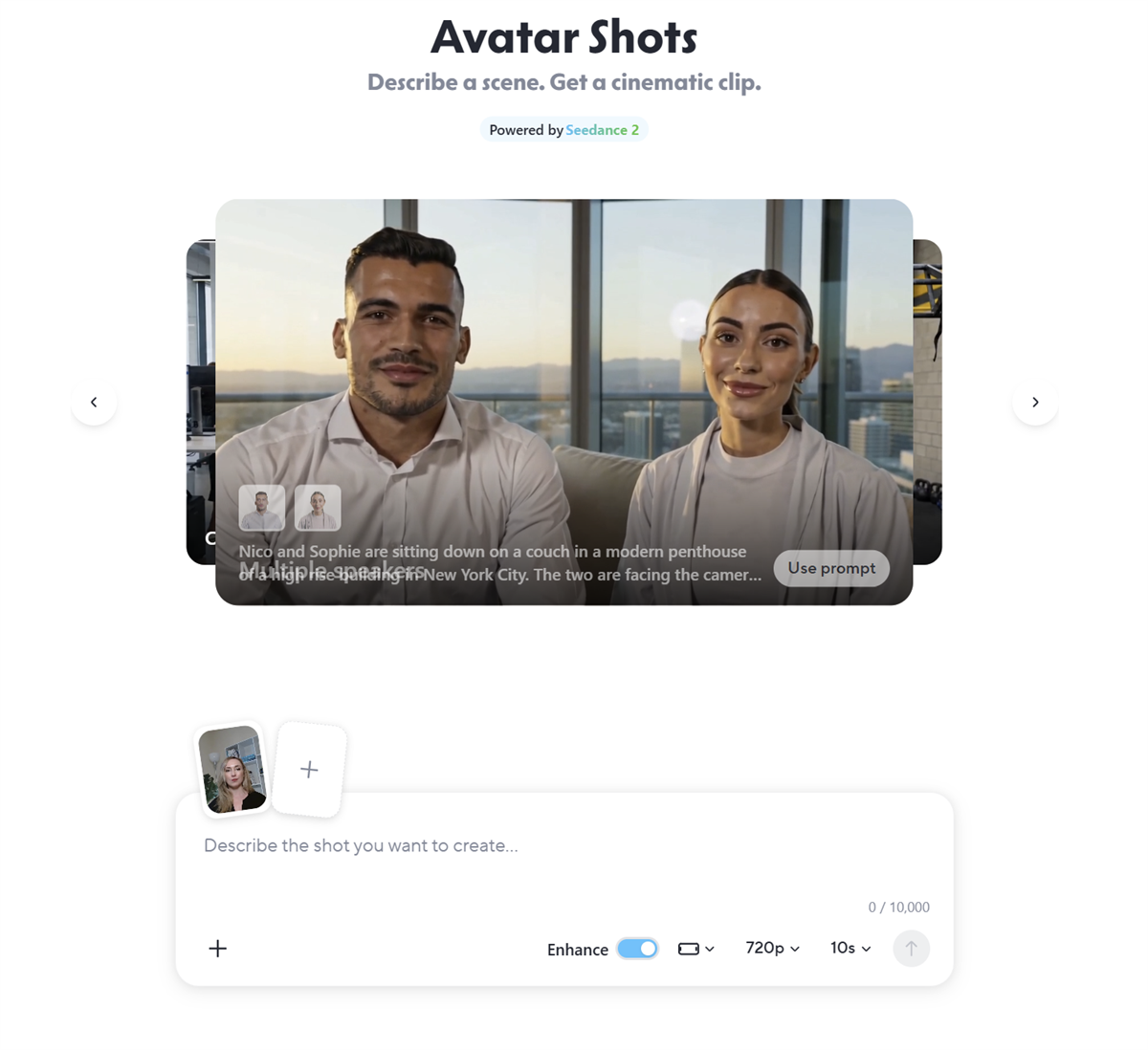
HeyGen’s newest model, Avatar V, builds your digital twin from a short video clip. You can record on your phone.
This is the one time you actually have to be on camera. Everything after this, you don’t.
A few things that matter here, because the quality of this recording determines the quality of every video your avatar ever produces. According to HeyGen’s own best practices, Avatar V is audio-driven. The energy you put in is the energy you get out. Flat delivery produces a stiff avatar. Expressive delivery produces one that feels alive.
Practical tips from doing this across multiple client teams:
- Good lighting, no harsh shadows. Your phone camera is fine if the light is right.
- Look directly at the lens. Eye contact matters even in a short training clip.
- Be more expressive than you think you need to be. If it feels slightly over the top in person, it’ll look natural on screen.
- Don’t rush it. If the first take feels flat, record again. You’re building every future video on this foundation.
HeyGen processes the footage and builds your avatar. Expect a few hours. You’ll get a notification when it’s ready.
Step 2: Clone Your Voice (Separately)
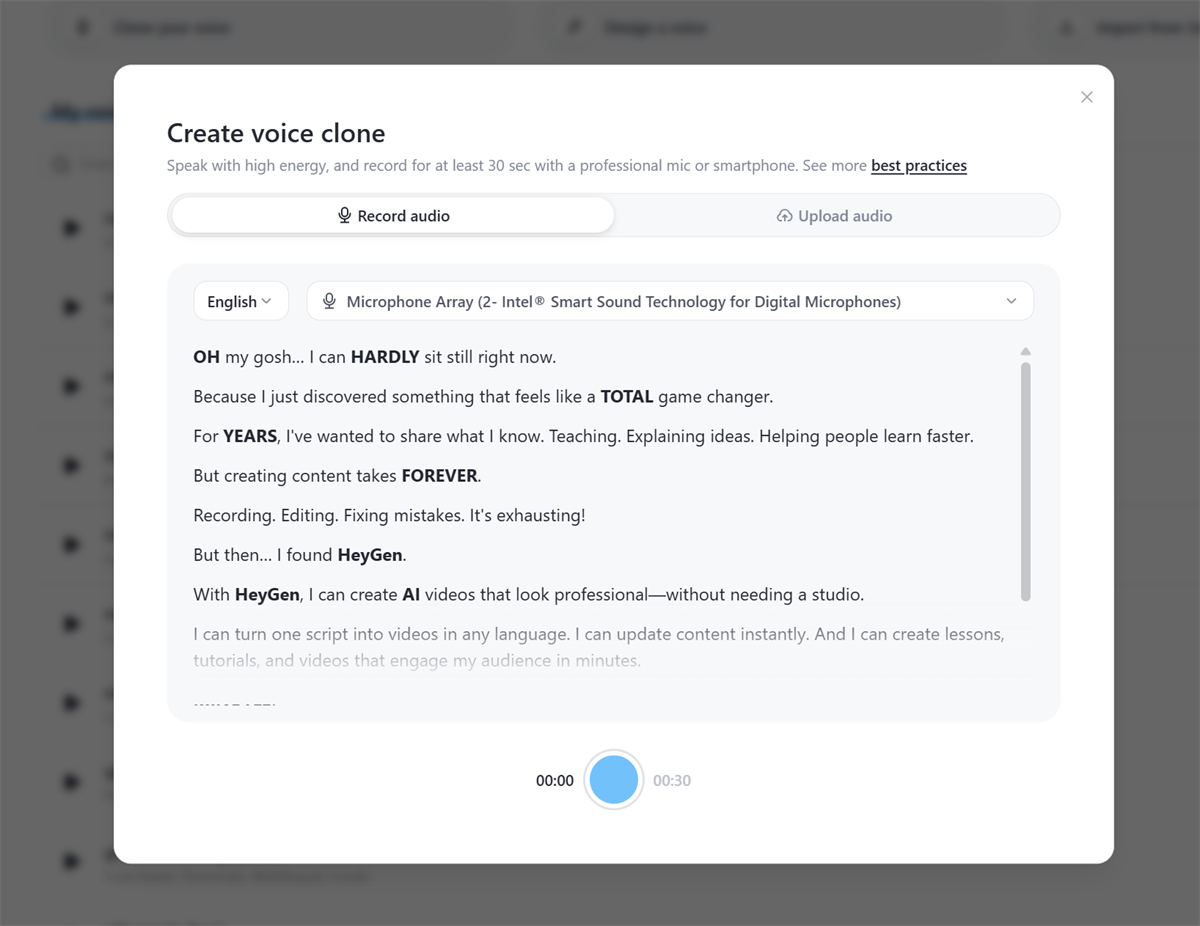
This step is optional but worth doing. A standalone voice clone produces noticeably better results than using the audio from your base video.
Record a voice sample of a few minutes. Quiet room. No echo. Use an external mic if you have one, or a modern smartphone held 6 to 8 inches from your mouth. Speak the way you actually talk, not how you think you should sound on a microphone.
HeyGen offers a Voice Doctor tool that can refine your clone after the initial recording. If the first version sounds slightly off, you can adjust accent, pacing, and clarity without re-recording.
One tip that surprised me. Curious Refuge’s production guide found that turning off aggressive noise removal actually makes the voice sound more natural. Over-cleaned audio tends to feel synthetic. Counterintuitive, but it works.
Step 3: Choose Your Look
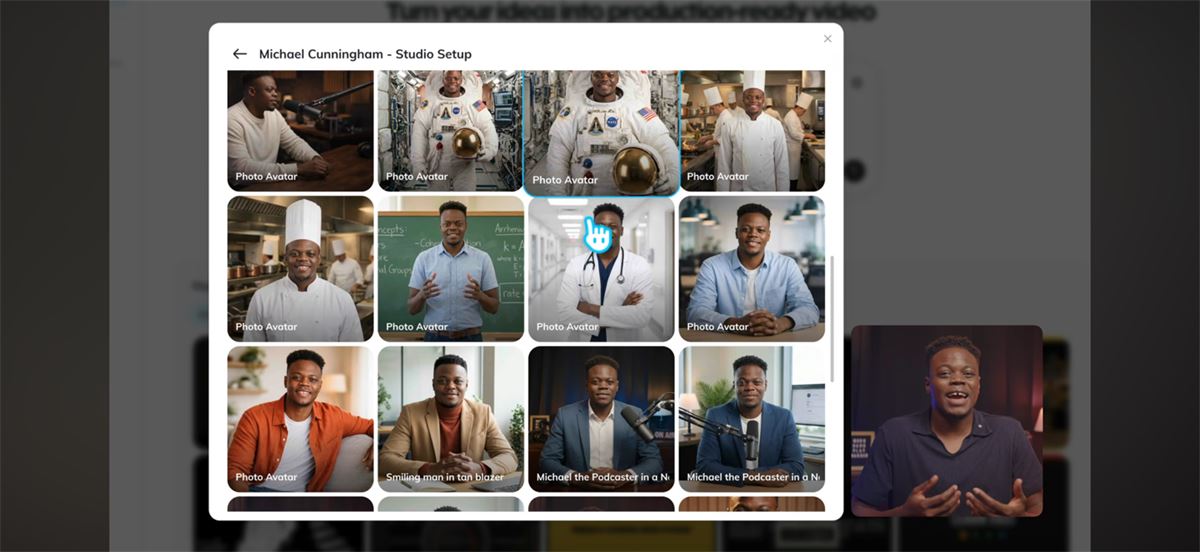
Here’s the part most tutorials don’t explain well. Avatar V separates your motion (from the training video) from your appearance (from a base photo). They’re two different inputs.
That means you can record your training video in a t-shirt and have your avatar deliver a script in a blazer. You pick a base photo, a clear close-up where your face is visible, and HeyGen generates your look from that reference. You can create up to 100 different looks. Different outfits, different backgrounds, different settings. All from one recording.
Three looks are auto-generated from your footage as a starting point. If they’re not quite right, try uploading a different base photo. The look generation is only as good as the reference you give it.
Step 4: Generate Your First Video
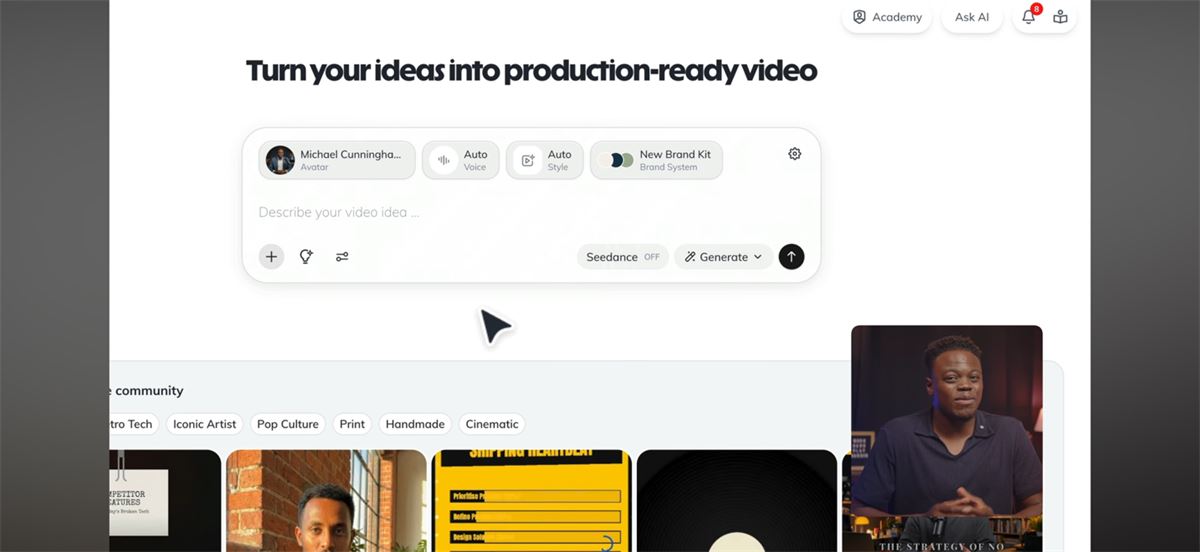
Go into HeyGen’s AI Studio. Select your avatar. Type or paste your script. Hit generate.
Your avatar delivers it. You download the video. Done.
A couple things that help with output quality. Use CAPS in your script to prompt more energy on specific words. Your avatar reads the emphasis and adjusts its delivery accordingly. You can also assign different motion references to different scenes, so your opening can be more energetic and the main content more measured.
The whole process, once your avatar is built, takes about as long as it takes you to write the script. For a 3-minute explainer, that’s maybe 15 minutes from script to finished video. The bottleneck moves from production to thinking.
Where AI Cloning Creates the Most Leverage for B2B Teams
AI cloning delivers the most ROI on repeatable, high-volume content. It removes the production bottleneck without adding headcount or agency spend. The right use cases aren’t about making one perfect video. They’re about making many good ones, consistently.
Here’s where I’ve seen it work across B2B companies:
Content repurposing is the biggest one. Take blog posts you already have. Turn each into a video. Publish to YouTube. Embed it back into the original post. Now you’re reinforcing the same topic across your site, YouTube search, and wherever else that content gets distributed. Blog posts with embedded video earn more backlinks and higher engagement than text-only posts. If you’re already producing written content as part of a content workflow, this extends every piece without starting from scratch.
Sales follow-up at scale. Personalized video messages without recording each one individually. Same face, same voice, different script for each prospect. That kind of touchpoint used to take real effort. Now it takes minutes.
Onboarding and SOPs are where this gets quietly powerful. Record the walkthrough once with your clone. It lives in your systems permanently. Process changes? Update the script, regenerate. New team member? Same video, same quality, no scheduling. One of my clients was re-recording the same onboarding walkthrough every quarter. That stopped.
And then there’s the use case nobody talks about: internal updates. Weekly video message from you to your team, without you actually recording one. Sounds small, but consistency compounds. Especially if you’re managing across multiple client teams or locations.
A pattern I keep seeing. The teams that get the most from AI video are the ones that already have a content system running. The clone removes a bottleneck. It doesn’t build the system for you.
Where I’d start if you’re new to this: take 3–5 existing blog posts, convert them to video, publish to YouTube with SEO-optimized descriptions, embed them back into the posts, and cut short clips for social. Small test. Clear signal. That’s how you find out if this fits your workflow before you commit to a plan.
What AI Cloning Actually Costs (Beyond the Sticker Price)
HeyGen’s pricing page looks straightforward. It isn’t, entirely. Here’s how it actually breaks down.
Free plan. 3 videos per month, watermark included, 720p quality. Good enough to test whether your avatar looks decent before you spend anything.
Creator plan ($29/month, or $24/month annual). Unlimited standard avatar videos. No watermark. 1080p. This is where most solo operators land.
But here’s the part that catches people off guard. The Creator plan includes 200 Premium Credits per month. HeyGen’s best avatar model (Avatar IV) consumes 20 credits per minute. That means your $29/month plan gives you about 10 minutes of premium avatar video per month. Everything else runs on the standard model.
10 minutes is enough for 3–4 short videos. If you’re producing more than that with Avatar IV, you’re either upgrading to Pro or buying credit packs at $15 per 300 credits.
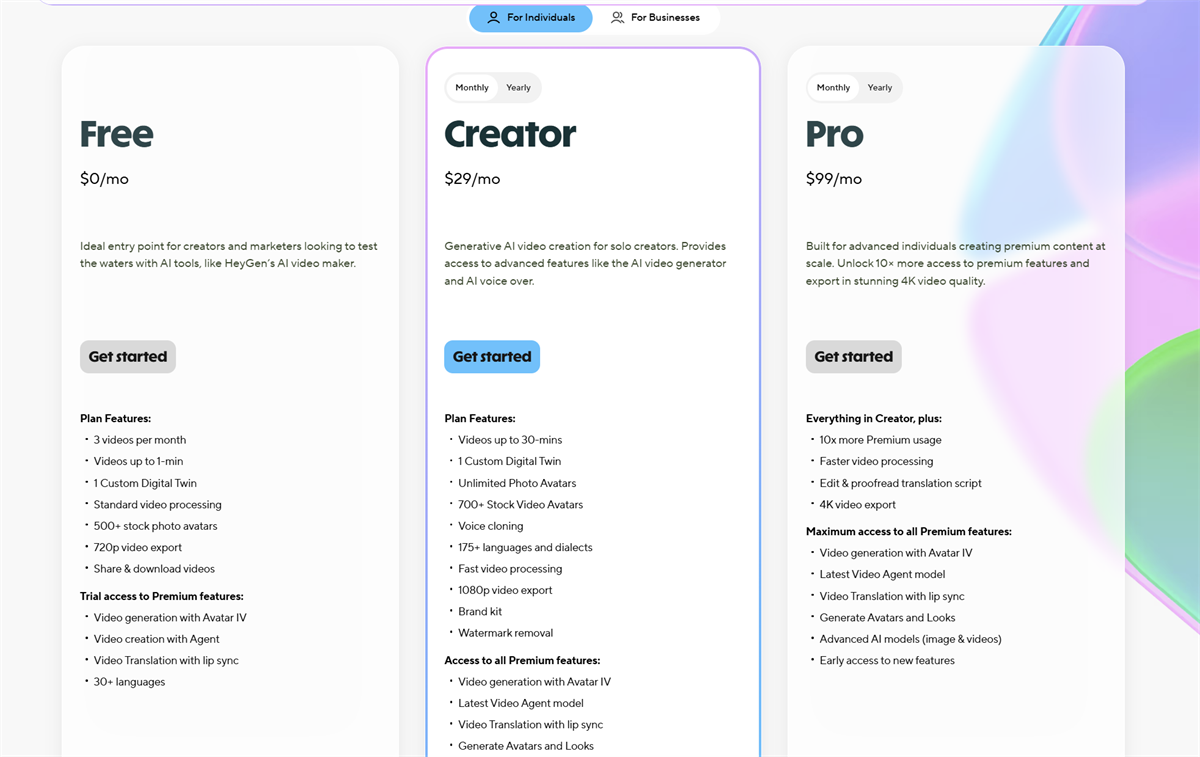
| Plan | Monthly Price | Annual (per mo) | Premium Credits | Best For |
|---|---|---|---|---|
| Free | $0 | $0 | 3 videos/mo, watermark | Testing only |
| Creator | $29 | $24 | 200/mo (~10 min Avatar IV) | Solo operators, light production |
| Pro | $99 | $79 | 2,000/mo (~100 min) | Weekly publishers, high volume |
| Business | $149 + $20/seat | $119 + $20/seat | 1,000/mo shared | Teams, 4K, SCORM |
Additional credit packs run $15/month for 300 credits, which works out to roughly $5 per added minute of Avatar IV video on top of the base subscription. For most B2B companies using the Creator plan with moderate output, realistic total is $29–$50/month.
Compare that to traditional video production. Agency-produced video runs $2,000–$10,000 per finished piece. Even DIY recording costs you 2–6 hours of your time per video when you factor in setup, filming, editing, and uploading. HeyGen compresses that into the time it takes to write a script.
Start with the free plan. Spend 20 minutes setting up your avatar. If the output is publishable, the Creator plan at $24/month (annual) is an easy yes. Don’t lock in annual until you’ve confirmed this fits your workflow.
Try HeyGen free and see how your avatar comes out before you commit.
HeyGen vs. Synthesia: Which One Fits Your Setup?
If you’re researching AI cloning, you’ll run into Synthesia pretty quickly. Both are strong platforms. They serve different buyers.
The feature gap between HeyGen and Synthesia has narrowed in 2026, which makes the non-feature factors (pricing, compliance, workflow fit) more decisive than they used to be.
| HeyGen | Synthesia | |
|---|---|---|
| Best for | Marketing, content, sales outreach | Enterprise training, L&D, compliance |
| Avatar realism | More expressive, natural micro-expressions | Professional, consistent across longer videos |
| Custom clone | Available on paid plans ($29+) | Enterprise tier only |
| Languages | 175+ | 140+ |
| Voice cloning | Yes, built-in | Available on higher tiers |
| Starting price | $29/mo | $22/mo |
| Compliance | SOC 2 Type II | SOC 2 Type II, ISO 27001 |
That custom avatar piece is the key difference. HeyGen makes it accessible on Creator plans. Synthesia locks it behind enterprise. For operators, founders, and marketing teams who need content that connects with an audience, HeyGen wins on avatar realism, creative flexibility, and the ability to create a custom clone of yourself without enterprise pricing.
If you’re an L&D team rolling out compliance training across a large organization, Synthesia is worth a look. I’ve linked to my full AI video generator comparison if you want the deeper breakdown across more tools.
Where AI Cloning Still Falls Short
AI cloning doesn’t replace real video for everything. Knowing where the line is saves you from producing content that undermines trust instead of building it.
Trust-heavy content still needs you on camera. Founder stories. High-ticket sales conversations. Brand content where personality is the entire point. There’s a gap between AI delivery and human delivery, and audiences feel it even if they can’t articulate exactly what’s off. Your AI clone handles the volume work. You show up for the moments that require your actual presence.
Longer videos can get repetitive. Avatar V has improved gesture timing and expressiveness significantly. But past a certain length, patterns start to emerge. Delivery feels similar across sections. Not a dealbreaker for 2–3 minute explainers. Something to manage actively for anything longer.
The credit system needs planning. “Unlimited video creation” on the paid plans means unlimited standard videos. Avatar IV content burns premium credits at 20 per minute. If you’re producing 15 minutes of Avatar IV content a month on the Creator plan, you’ll need to budget for extra credit packs. Run the math before picking a plan.
And then there’s the part that no tool fixes. You still need a good script. The technology handles the delivery. You have to produce the thinking. An AI version of you delivering a weak script is still a weak video. If the strategy isn’t clear, the audience isn’t defined, and the point of view isn’t there, the clone won’t fix that. I see this pattern a lot. Someone gets excited about the tool, builds their avatar in an afternoon, then stalls because they don’t have a content plan behind it.
AI Disclosure: What to Know Before You Publish
YouTube requires creators to disclose AI-generated content that could be mistaken for real footage. This has been mandatory since May 2025. You flag it during upload in YouTube Studio.
YouTube explicitly welcomes AI tools that enhance content creation. Using your own AI clone to deliver your own script isn’t the problem they’re solving for. Deepfakes and fabricated events are.
My take on disclosure more broadly. Just be transparent. In most B2B contexts, people don’t care that it’s AI. They care that the content is useful. A quick note in the description is enough. The trust you build by being upfront is worth more than whatever minor friction disclosure creates.
Most platforms are moving in this direction. TikTok has similar rules. LinkedIn and other platforms don’t enforce it the same way yet, but the trend is clear. Get ahead of it now rather than scrambling later.
The Shift Most People Miss
Most people think of AI cloning as a production shortcut. Record less, publish more. That’s true, but it’s the smallest version of what this actually does.
The bigger play is surface area.
When you take a blog post you’ve already written and turn it into a video, you’re not just “repurposing content.” You’re occupying a second position for the same keyword. Your blog post ranks in Google. Your video shows up in YouTube search. The video embeds back into the blog, which increases time on page and sends stronger engagement signals. If you’re running marketing automation behind these pages, those longer sessions convert at a higher rate.
Now multiply that across 10 posts. 20 posts. Every piece of written content you produce gets a video companion that reinforces your authority on that topic across multiple platforms.
That’s not a production shortcut. That’s a distribution system.
Video doesn’t fail because the tool isn’t good enough. It fails because teams don’t produce consistently. AI cloning removes that excuse, if you’re willing to build around it correctly.
Where to Start
The recording requirement disappears. The production overhead disappears. What’s left is just: write the script, generate the video, publish.
That matters if video has been sitting on your list for six months.
Pick 3–5 blog posts you’ve already published. Turn each into a short video with HeyGen. Publish to YouTube. Embed them back into the original posts. Cut short clips for LinkedIn or social.
Small test. Clear signal. If those videos get traction, lean in. If they don’t, you’ve spent $29 and a few hours finding out.
For enterprise training use cases, Synthesia is the other tool worth evaluating alongside HeyGen.
And if you’re still working on the strategy side of this, figuring out what to say, who to say it to, and how content connects to pipeline, start with the marketing tools stack I use across B2B client teams. The tools work best when the system behind them is clear.
Common Questions About AI Cloning
How realistic are the results, honestly?
Good enough to publish. Not indistinguishable from you on camera. HeyGen’s Avatar IV model handles lip sync, facial expressions, and gestures well enough that most viewers won’t flag it as AI unless they’re specifically looking. Short-form content under 3 minutes holds up the best. Longer videos can occasionally show subtle stiffness. I’ve had people ask me when I filmed something that was actually AI-generated. That’s the bar. The gap between “real you” and “clone you” is shrinking every few months, and for 90% of the content you’d produce (explainers, updates, course modules), it genuinely doesn’t matter. Where it does show is sustained eye contact in long-form talking head footage. If you’re doing 10-minute monologues, you’ll notice. For everything else, you probably won’t.
How long does it take to set up an AI clone?
About 30 minutes of active work, then a few hours for processing. The training video itself is only 2–5 minutes of recording. Where people lose time is fiddling with lighting and setup, which is time well spent. Better input footage means a better clone.
Is HeyGen free?
There’s a permanent free plan with 3 watermarked videos per month at 720p. Good enough to test whether your avatar looks right. Not usable for publishing. Paid plans start at $29/month.
Can my AI clone speak other languages?
Yes. HeyGen supports over 175 languages with lip-sync that adapts to the target language. You don’t need separate recordings per language. Quality is highest for widely spoken languages (English, Spanish, French, German, Mandarin) and slightly less natural for less common dialects.
Does AI-generated video hurt organic reach?
No evidence it does. YouTube, LinkedIn, and most platforms don’t penalize AI-assisted content as long as you follow disclosure rules. What hurts reach is bad content, regardless of how it was produced.
Do I need to disclose AI content on every platform?
Moving that direction, but not identical rules across the board yet. YouTube has the most formal requirement, with a toggle in YouTube Studio for flagging altered or synthetic content. TikTok has similar rules. LinkedIn doesn’t enforce it the same way yet. Disclosing builds trust. Hiding it is a risk that’s not worth taking.
Who actually owns the output?
You do. [VERIFY: confirm HeyGen’s current TOS on commercial rights before publishing]