
Last updated: June 13, 2026
Answer in 40 words: Good LinkedIn lead generation sends the right message, at the right moment, to the right person. Fix your profile first. Use intent signals so outreach isn’t cold. Run a simple 3-message sequence with HeyReach. The whole system takes an afternoon to set up.
The Short Version
Everyone’s LinkedIn inbox looks the same right now. “Hey [first name], I noticed you’re in [industry]…” Delete. “Quick question…” Delete. “Would love to connect and explore synergies…” Delete.
And somewhere on the other side of those messages, a founder is wondering why LinkedIn outreach doesn’t work.
It does work. The approach is just broken.
I run LinkedIn outreach across multiple B2B client engagements. The system is simple: position yourself so outreach makes sense, use intent signals so it isn’t cold, and execute with a tool that sends safely and consistently. Three parts. No 47-step automation stack required.
For the broader outbound system including cold email, see the easy B2B outreach stack. For the deep LinkedIn strategy beyond just outreach, see the 2026 LinkedIn marketing strategy for B2B.
Why does most LinkedIn outreach feel like spam?
LinkedIn lead generation is the process of using LinkedIn to identify, connect with, and start conversations with potential B2B buyers. It works when the approach is targeted and personal. It fails when it looks like every other automated pitch in someone’s inbox.
And most of it fails. Here’s what I see over and over. Someone decides LinkedIn is the channel. They find an automation tool. They upload a list. They write a message that sounds like every other message. They send it to 500 people. Then they wonder why the response rate is 2%.
The internet makes it worse. Giant Clay plus n8n automation builds that require constant maintenance. Tutorials designed for job seekers, not revenue teams. “Top 10 tools” lists where every tool magically works for everyone.
None of that helps a founder who wants meetings.
What usually happens instead: outbound gets complicated, deliverability issues pop up, people get overwhelmed managing workflows nobody fully understands. Then someone decides “LinkedIn is broken.”
LinkedIn isn’t the problem. The system is. (And yes, this happens more than you’d think.)
Good LinkedIn outreach does one thing well. It sends the right message, at the right moment, to the right person. Quietly. Consistently. Safely. That’s it.
How do you fix your profile before sending a single message?

Before you touch any outreach tool, your profile needs to do one job: tell someone who you help and how, in about five seconds.
Your headline. Your banner. Your About section. Your Featured section.
If someone gets your connection request, clicks your profile, and it reads like a resume from 2019, it doesn’t matter how good your message is. Your profile is your landing page. Make it work like one.
Headline: Not your job title. What you do for the people you serve. “I help B2B founders build pipeline without hiring a sales team” beats “Founder & CEO at [Company]” every time.
Banner: Reinforce the headline visually. Your offer, your results, your credibility. Not your company logo on a gradient background.
About section: First three lines are all most people will read before clicking “see more.” Lead with the problem you solve and who you solve it for. Not your career history.
Featured section: Pin your best proof. A case study. A lead magnet. A video. A post that performed well. If your Featured section is empty, you just lost someone who was interested enough to look.
This takes an hour. Do it before you send a single connection request. Fixing your profile is the highest-ROI hour you’ll spend on LinkedIn this month.
How do you use intent signals so outreach isn’t cold?
This is the part that changes everything.
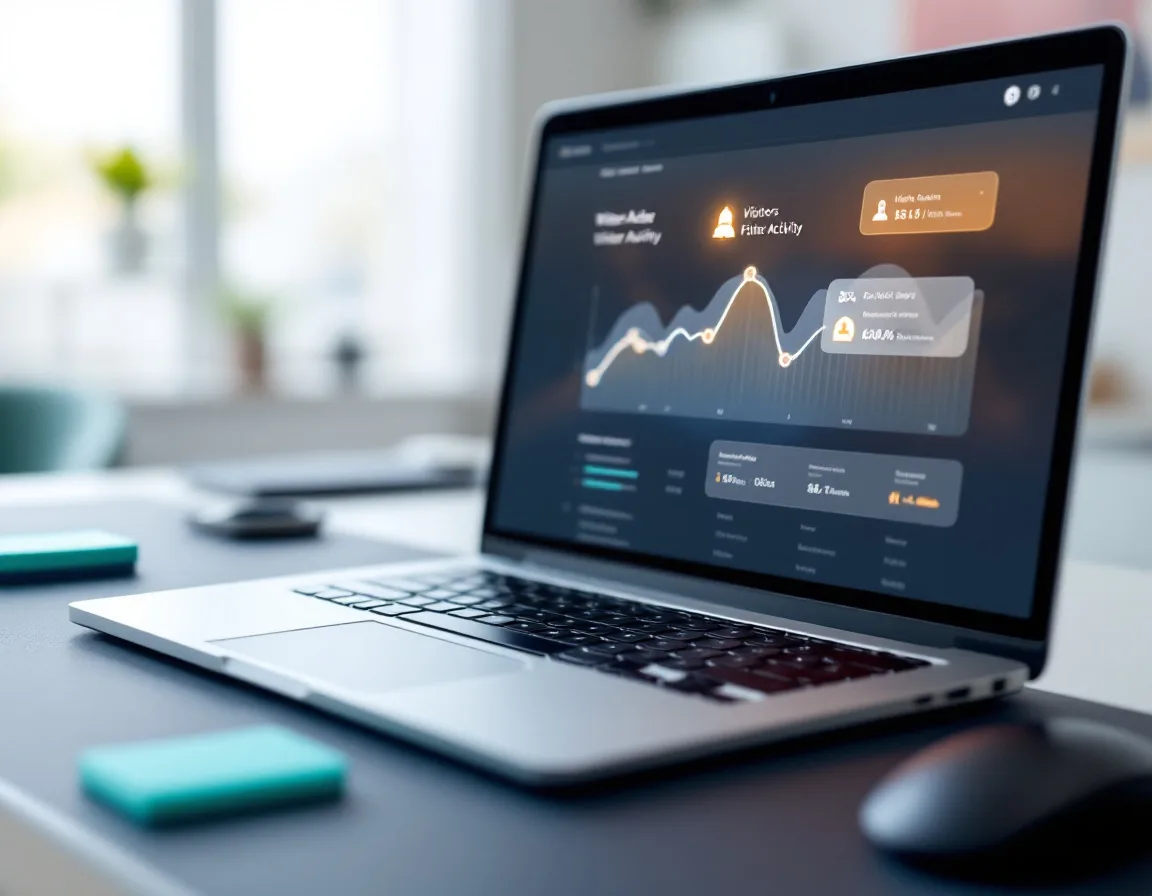
Cold outbound feels cold because the timing is wrong. You’re reaching out to someone who has no idea who you are, no context, no reason to care. But what if you knew someone visited your pricing page? Or started engaging with content in your space? Or their company just posted a job that signals a need you solve?
That’s intent. And it shifts outreach from interruption to relevance.
Three tools I use for intent signals:
rb2b shows you who’s hitting your website at the personal level. Not just the company. The actual person. Name, LinkedIn profile, job title. If someone visited your pricing page yesterday, that’s a signal. Reach out today. Start on the $79/mo Starter plan. Upgrade to Pro ($149/mo) when you want Hot Leads and Hot Pages prioritization. For the full breakdown, see rb2b review.
Gojiberry catches LinkedIn engagement and category signals. It identifies people who are engaging with content in your space, following relevant topics, or showing buying intent through their LinkedIn activity. Useful for building warm lists of people who are already thinking about the problem you solve.
Apollo gives you clean ICP data when you need to build targeted lists. 270+ million contacts. Filter by industry, company size, job title, tech stack, and dozens of other criteria. Free plan gets you started. Basic at $49/mo covers most lean teams. For deeper comparisons, see Apollo vs Clay.
You don’t need all three to start. Pick one signal source. That alone makes your outreach warmer than 90% of what’s landing in people’s inboxes right now.
How do you run the actual outreach?

This is where the tool matters. And this is where I use HeyReach.
Full disclosure: HeyReach is my favorite LinkedIn outreach tool. I use it across client engagements and for my own outbound. Here’s why.
It’s easy. I’m not saying that as a throwaway line. It’s actually simple to set up and run. You don’t need to be technical. You don’t need a developer. You don’t need to watch 14 tutorials before you send your first campaign. You connect your LinkedIn account. You upload or build a list. You write a short sequence. You hit go.
The sequence I run for almost every client: Connection request (no note). Short follow-up if they accept. Soft nudge a few days later. Three messages. Nothing clever. Nothing complicated. People respond because it sounds like a person, not a pitch deck.
It’s safe. This matters more than features. HeyReach is cloud-based with a dedicated IP per LinkedIn account. New accounts get warmed up properly. Daily limits stay realistic. Activity runs in natural patterns. A restricted LinkedIn account doesn’t just pause your campaigns. It loses the connections you spent years building. HeyReach is built to prevent that.
It scales without chaos. Connect multiple LinkedIn accounts, rotate campaigns, and manage everything from one dashboard. One centralized inbox across every sender. Start with one account. One person. It still works. But when you’re ready to add a second sender, a third, a fifth, you’re already on the right architecture. No migration. No rebuilding.
It connects to everything else. HeyReach integrates with Apollo for data, GoHighLevel for follow-up and CRM tracking, Instantly for email handoffs, and has native support for Make, n8n, and Zapier. Webhooks and a clean API if your team builds custom workflows.
One feature nobody talks about: Like campaigns. You can automatically like posts from a list of prospects or influencers without scrolling your feed all day. Subtle. Effective. And it warms up your name in someone’s notifications before you ever send a message.
$79/mo per sender on monthly, $59/mo on annual. No Sales Navigator required. Free trial, no credit card needed.
Start a free HeyReach trial and build your first campaign. Takes about 15 minutes.
What should you NOT do on LinkedIn outreach?
Let me save you from the mistakes I see constantly.
Don’t overcomplicate the sequence. Connection request without a message works best across my teams. Then a simple high-value message. Maybe a follow-up and soft nudge. That’s it. I’ve seen people build seven-step sequences with conditional branches and A/B test variations before they’ve sent their first 100 connection requests. That’s not strategy. That’s procrastination disguised as optimization.
Don’t skip the profile. If someone gets your message, likes it, clicks your profile, and finds a blank Featured section and a headline that says “Passionate about helping businesses grow”… you just lost them. Fix the profile first. It takes an hour.
Don’t send volume without signal. 500 cold messages to random people is spam. 50 targeted messages to people who engaged with content in your space last week is relevance. The difference isn’t the tool. It’s the list.
Don’t automate the conversation. Automate the connection request. Automate the follow-up. But when someone replies, that’s a human conversation. Respond like one. The fastest way to kill a warm lead is to sound like a bot the moment they actually engage.
Not ideal. And surprisingly common.
What does week one actually look like?

Here’s the concrete version. No theory. Just what to do.
Week one, day one. Fix your profile. Headline, banner, About, Featured section. Make it clear who you help and what happens when they work with you. One hour.
Week one, same day. Start your free trial of HeyReach. Connect your LinkedIn account. Import a list of 100-200 people who match your ICP (from Apollo, a CSV export, or LinkedIn Sales Navigator). Write three messages. Launch the campaign. This takes an afternoon.
Week two and beyond. Let it run. Check your inbox daily. Respond to replies personally. Refine the list based on what’s working. Add intent signals from rb2b or Gojiberry when you’re ready to make your targeting warmer.
That’s the whole system. Profile. List. Three messages. One tool. Daily inbox check.
The system at a glance
| Step | What to do | Time | Tool |
|---|---|---|---|
| 1. Fix your profile | Headline, banner, About, Featured | 1 hour | |
| 2. Build a signal-based list | Pick one intent source, build 100-200 prospects | 30-60 min | rb2b, Gojiberry, or Apollo |
| 3. Launch outreach | 3-message sequence, hit go | 1-2 hours | HeyReach |
| 4. Manage replies | Daily inbox check, respond personally | 10 min/day | HeyReach |
| Total setup | ~3-4 hours |
You don’t need a 47-step automation stack. You don’t need Clay. You don’t need a developer. You need a focused list, a clear message, and a tool that sends it safely and consistently.
If you can write three short messages and check your inbox once a day, you can run this.
How does this connect to the rest of your outbound?
LinkedIn outreach doesn’t have to live in a silo. When you’re ready to add cold email to the mix, the system scales naturally.
HeyReach has a native integration with Instantly. If someone doesn’t respond on LinkedIn, they automatically get added to your email sequence. Replies on either channel pause outreach on both. Two channels, one coordinated system.
Leads from both tools flow into GoHighLevel through webhooks. Your CRM becomes the single source of truth where pipeline management, SMS follow-up, and calendar booking take over.
I wrote the full multi-channel architecture in the easy B2B outreach stack. Start with LinkedIn. Add email when you’re ready. The tools play nice together.
Common questions about LinkedIn lead generation
How many connection requests should I send per day?
Start with 20-30 per day per LinkedIn account. That’s a safe, sustainable volume that stays well within LinkedIn’s tolerance. HeyReach manages this automatically with realistic daily limits and natural activity patterns. Scale up slowly once the account is warmed up. Pushing 100+ per day on a new account is how you get restricted.
Do I need LinkedIn Sales Navigator?
No. HeyReach works without Sales Navigator. You can import lists from Apollo, CSV uploads, or LinkedIn search URLs. Sales Navigator gives you better filtering and larger search results, but it’s not required to run outreach. Start without it. Add it later if you need more precise targeting.
What’s a good response rate for LinkedIn outreach?
For targeted, signal-based outreach to a well-defined ICP, 15-25% connection acceptance and 5-10% positive reply rate is strong across my client campaigns. If you’re getting under 5% acceptance rate, your targeting or profile is the problem, not the tool. If acceptance is high but replies are low, the message needs work.
Should I send a note with the connection request?
In most cases, no. Connection requests without a note consistently outperform requests with a note across my client campaigns. The note often triggers the “this is a sales pitch” filter before they even look at your profile. Send the request clean. Let your profile do the selling. Follow up with value after they accept.
How long before I see results?
Most clients see their first replies within 5-7 days of launching the first campaign. Meaningful pipeline usually builds within 2-4 weeks of consistent outreach. LinkedIn outreach compounds over time. The connections you build in month one become the warm audience you nurture in month three.
Can I do this myself or do I need to hire someone?
You can absolutely do this yourself. The system takes 3-5 hours per week to manage once it’s running. That includes daily inbox checks (10 minutes), weekly list refreshes (30-60 minutes), and monthly sequence optimization. A founder, a marketing hire, or a VA can manage this. No specialist required.
Is LinkedIn automation safe?
All LinkedIn automation operates on LinkedIn’s tolerance, not explicit permission. HeyReach mitigates risk with cloud-based execution, dedicated IPs per account, realistic daily limits, and natural activity patterns. The risk is real but manageable with sensible limits and proper warm-up. For deeper context on tool safety, see HeyReach review.
The Bottom Line
The reason most people think LinkedIn outreach doesn’t work is because they’ve only experienced the spammy version of it.
Signal-based outreach with a simple sequence doesn’t feel like outreach to the person receiving it. It feels like someone relevant reaching out at the right time. That’s the difference between “delete” and “let’s talk.”
The system is three parts. Fix your profile so it works like a landing page. Use intent signals from rb2b, Gojiberry, or Apollo so your outreach isn’t cold. Run a simple 3-message sequence in HeyReach so it sends safely and consistently.
Total setup time: one afternoon. Weekly maintenance: 3-5 hours. Monthly cost: $79/mo for HeyReach plus whatever you spend on data.
Start a free HeyReach trial. No credit card. Takes about 15 minutes to set up your first campaign. Build your list, write three messages, and press send.
If you want help building the full outbound system or setting up the multi-channel version with email, see my fractional CMO services.
About Holly Mack
Holly Mack is a fractional CMO for B2B companies between $1M and $50M in revenue. She specializes in marketing systems, AI-powered workflows, and lean team operations. She works with founders, CEOs, and operators across SaaS, MSPs, agencies, consulting, and staffing firms.